
Best Image Size & DPI for Sublimation in Canva
Canva is where a lot of sublimation designs are made, and it's also where a lot of blurry prints start. The fix is a small change in how you set up the design. Here's the setup that keeps your print sharp, plus how to check the file before you waste a blank.
By the CraftSizer team · Updated 2026-10-14
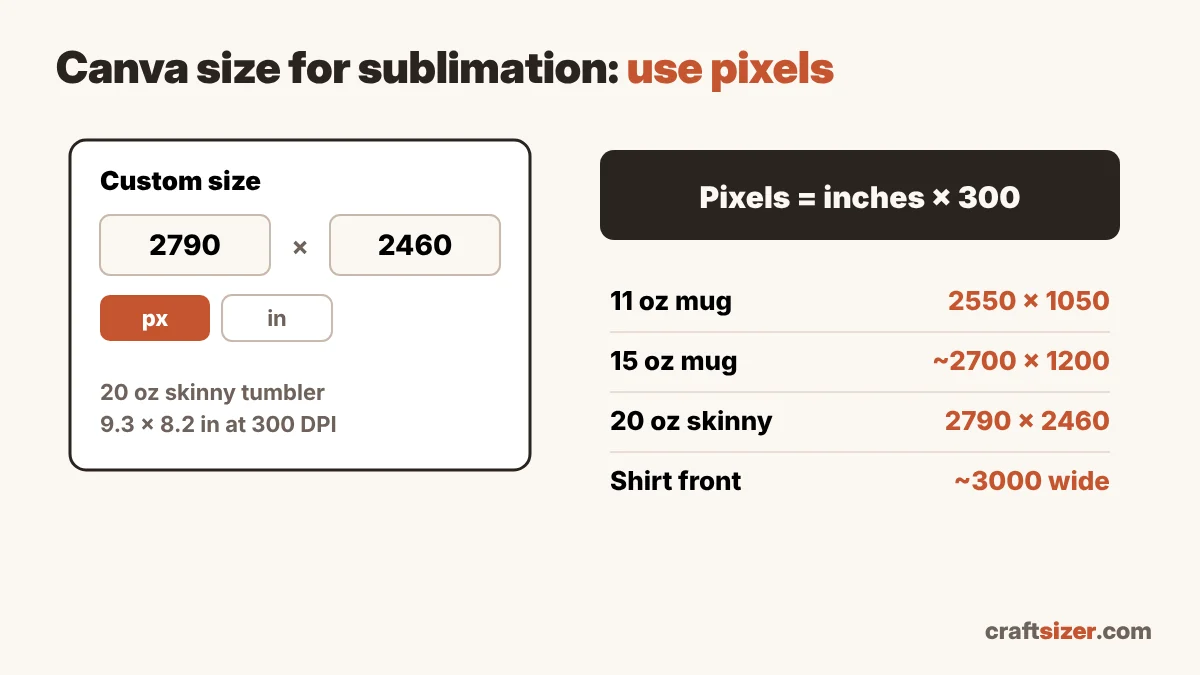
The one rule: think in pixels, not just inches
A sublimation print is sharp when there are enough pixels for every inch you print. The standard target is 300 pixels per inch (300 DPI). So the question isn't just "how big is my mug wrap?" It's "how many pixels does a mug wrap need?"
The formula is simple:
Pixels = inches × 300
An 8.5 × 3.5 inch mug wrap needs 2550 × 1050 pixels. A 9.3 × 8.2 inch tumbler wrap needs 2790 × 2460 pixels.
Step 1: Get the real size of your blank
Start with the size of the area you're printing, in inches. Blanks vary between suppliers, so measure yours or use a calculator:
- Tumbler template size calculator for straight tumblers
- Tapered tumbler template generator for tapered ones
- Mug template calculator for 11 oz, 15 oz and other mugs
Each one also shows the pixel size at 300 DPI, so you can skip the math.
Step 2: Create the Canva design in pixels
- In Canva, choose Create a design → Custom size.
- Switch the unit to px.
- Enter the pixel size from step 1, for example 2790 × 2460 px for a 20 oz skinny tumbler.
- Create the design.
Why pixels instead of inches? When you enter the size in pixels, you know exactly how many pixels the downloaded PNG will have. If you design in inches, check the pixel size of the downloaded file before printing (step 4), because the export may have fewer pixels than you expect.
Common sizes at 300 DPI
| Blank | Typical print size | Canva size (px) |
|---|---|---|
| 11 oz mug, full wrap | 8.5 × 3.5 in | 2550 × 1050 |
| 15 oz mug, full wrap | about 9 × 4 in | about 2700 × 1200 |
| 20 oz skinny tumbler | 9.3 × 8.2 in | 2790 × 2460 |
| Adult shirt, front | about 10–11 in wide | 3000–3300 px wide |
| Mousepad (rectangle) | 9.25 × 7.75 in | 2775 × 2325 |
Typical sizes are starting points. Measure your own blank for the best fit.
Step 3: Use images that are big enough
A big canvas doesn't help if the photo or graphic you place on it is small. If you stretch a 600-pixel image across a 2790-pixel tumbler wrap, it will print soft no matter how the canvas is set up.
- Use the largest version of every image you have.
- Vector elements and Canva's own text stay sharp at any size.
- Be careful with screenshots and images saved from social media; they're usually small.
Step 4: Download and check the file
- Click Share → Download and choose PNG.
- Open the downloaded file's details (on Windows: right-click → Properties → Details; on Mac: Get Info) and check its pixel dimensions.
- Drop the file into the DPI checker with your print size. It tells you the effective DPI and whether it will look sharp.
Step 5: Print it at the right size
Canva PNGs don't always carry a "300 DPI" setting inside the file, so some printing software may open them at the wrong physical size. Before printing, set the print size in inches in your printing app (or turn off "fit to page" and set it manually), and print a test on plain paper first if you're unsure. Don't forget to mirror the design if your setup requires it.
Quick quality guide
| Effective DPI at print size | Result |
|---|---|
| 280+ | Crisp, even small text |
| 200–279 | Good for most blanks |
| 150–199 | OK for big, bold shirt designs |
| Under 150 | Likely soft or pixelated |
Frequently asked questions
What size should a Canva design be for sublimation?
Create the canvas in pixels at 300 pixels per inch of your print size. For example, an 11 oz mug wrap of 8.5 × 3.5 inches should be 2550 × 1050 px, and a 20 oz skinny tumbler of 9.3 × 8.2 inches should be 2790 × 2460 px.
Is Canva good enough for sublimation?
Yes, as long as the canvas has enough pixels for the print size and the images you place on it are large enough. Check the downloaded PNG's pixel size before printing.
Should I download PNG or PDF from Canva for sublimation?
Most crafters use PNG for sublimation because it's easy to place and mirror in printing software. Whichever you use, check that the file prints at the correct physical size.