
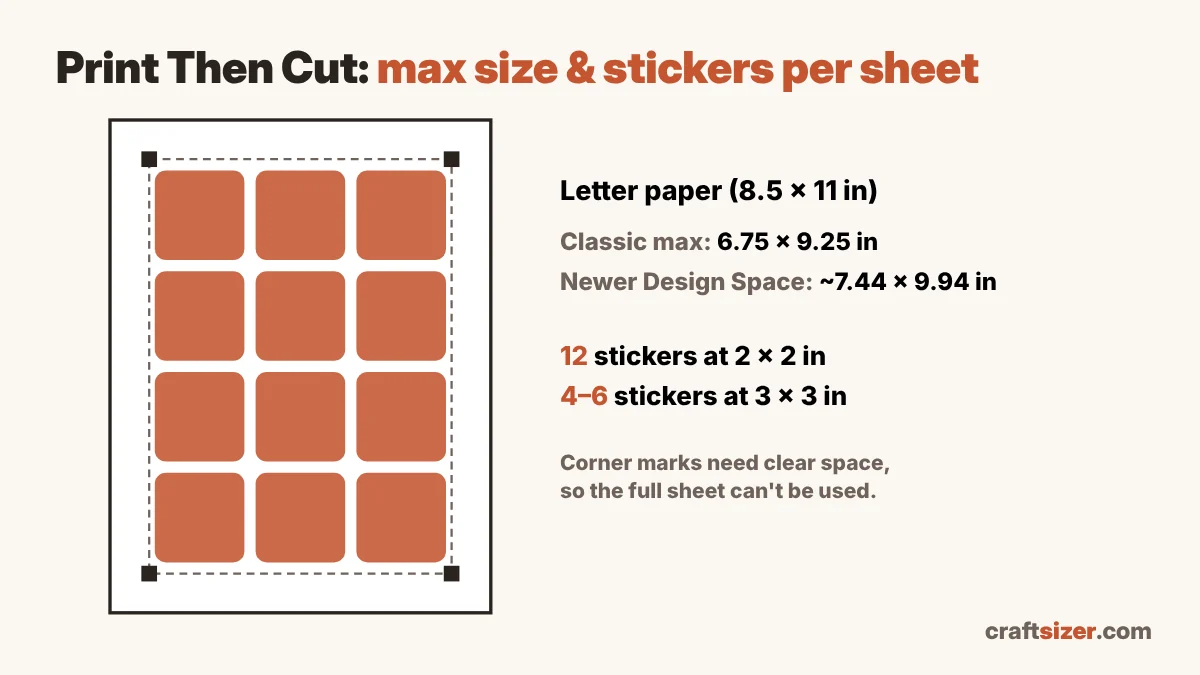
Cricut Print Then Cut maximum size
Print Then Cut works by printing your design with a black border of registration marks, which the machine's sensor reads before cutting. That border takes up room, so the printable area is smaller than the paper.
| Paper | Classic max size | Larger max size (newer Design Space) |
|---|---|---|
| Letter (8.5 × 11 in) | 6.75 × 9.25 in | about 7.44 × 9.94 in |
| A4 | 6.75 × 9.25 in | about 7.2 × 10.62 in |
| Legal (8.5 × 14 in) | — | about 7.44 × 12.94 in |
| Tabloid (11 × 17 in) | — | about 9.94 × 15.94 in |
| A3 | — | about 10.64 × 15.44 in |
The classic 6.75 × 9.25 in limit is Cricut's long-standing maximum. Newer versions of Design Space allow larger images, with the corners kept clear for the marks. Your Design Space version, machine and printer decide which sizes you can actually use.
How many stickers fit on one sheet?
With a quarter inch between stickers:
| Sticker size | Classic area (letter) | Larger area (letter) | Legal | Tabloid |
|---|---|---|---|---|
| 1 × 1 in | 35 | 48 | 60 | 96 |
| 1.5 × 1.5 in | 20 | 20 | 28 | 45 |
| 2 × 2 in | 12 | 12 | 15 | 28 |
| 2.5 × 2.5 in | 6 | 6 | 8 | 15 |
| 3 × 3 in | 4 | 6 | 8 | 12 |
| 3 × 2 in | 8 | 9 | 12 | 21 |
Notice that a 3-inch sticker jumps from 4 to 6 per sheet with the larger area, while 2-inch stickers stay at 12. Small changes in size can matter more than the area: a 2.25-inch sticker might fit the same count as a 2-inch one, so try a few sizes in the calculator.
About the bleed
Design Space adds a bleed by default: a thin extra border of color around each image so a slightly off cut doesn't leave a white edge. The bleed is printed but trimmed off when the machine cuts. Leave some space between stickers (a quarter inch is a safe start) so the bleeds don't overlap.
Tips for clean Print Then Cut stickers
- Use a matte paper or matte sticker sheet. Very glossy surfaces can reflect the sensor light and cause "unable to read registration marks" errors.
- Calibrate your machine for Print Then Cut if cuts are drifting off the edge of the design.
- Print at the right resolution. Each sticker should be about 300 pixels per inch. The calculator shows the pixel size for your sticker, and the DPI checker tells you if an image is sharp enough.
- Avoid tiny details near the cut line. Very thin points and narrow gaps are hard to cut cleanly at small sizes.
Selling stickers? Work out a fair price with the craft pricing calculator.
Frequently asked questions
What is the maximum Print Then Cut size?
The classic Cricut Print Then Cut maximum is 6.75 × 9.25 inches on letter or A4 paper. Newer versions of Design Space allow larger images, about 7.44 × 9.94 inches on letter paper, with the corners kept clear for the registration marks.
How many 2 inch stickers fit on a Print Then Cut sheet?
About 12 on a letter sheet with a quarter inch between them, using either the classic or the larger print area. On tabloid paper about 28 fit.
Why can't I print a full page with Print Then Cut?
The machine needs a border of black registration marks around the design to know exactly where to cut, so part of the sheet is reserved for those marks.
Should I turn off bleed in Print Then Cut?
Usually no. The bleed adds a little extra color around each image so a slightly off cut doesn't leave a white edge. It's trimmed off when the machine cuts. Just leave enough space between images.
More free tools
Related articles
Last updated 2026-11-07. All calculations run in your browser. Nothing you enter or upload is sent to a server.