
Sticker Size Guide
The right sticker size depends on where it's going to end up. A sticker that looks great on a laptop can wrap awkwardly around a water bottle, and a planner sticker needs to be tiny. Here are the common sizes for each use, the pixel sizes to design at, and how many fit on one sheet.
By the CraftSizer team · Updated 2026-11-08
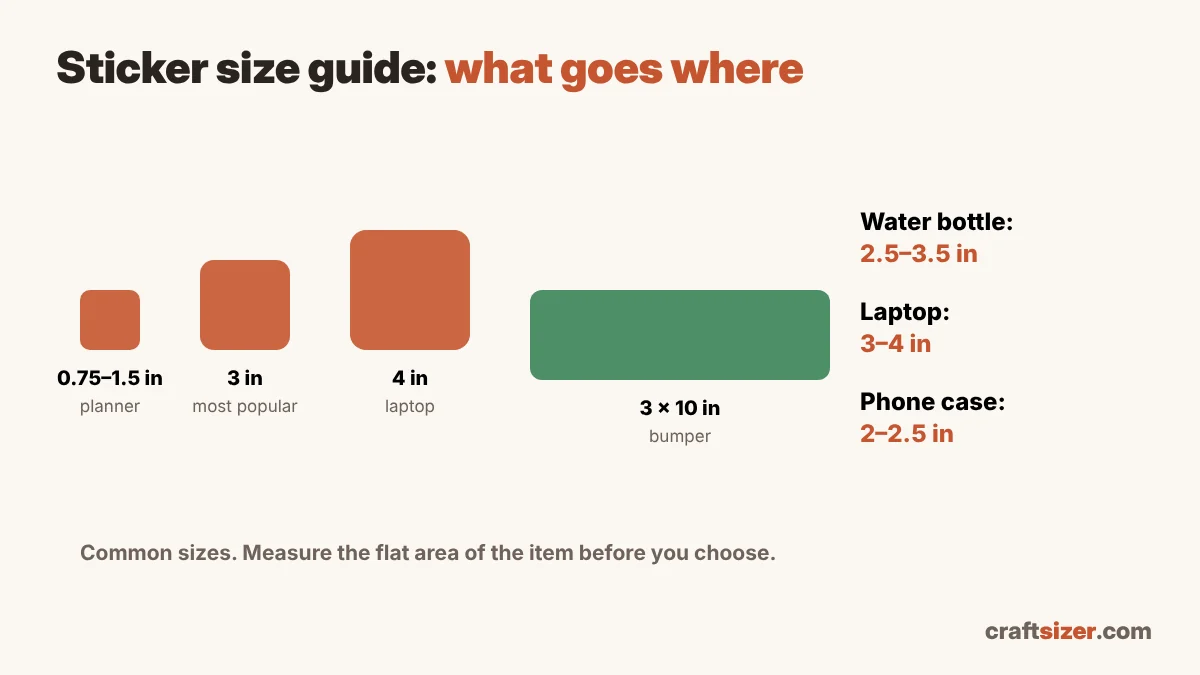
Common sticker sizes
| Where it goes | Common size | Design at (300 DPI) |
|---|---|---|
| Planner, journal, small accents | 0.75–1.5 in | 225–450 px |
| Phone case, small gift add-on | 2–2.5 in | 600–750 px |
| Most die-cut stickers (the "standard") | 3 in | 900 px |
| Water bottle, tumbler | 2.5–3.5 in | 750–1050 px |
| Laptop | 3–4 in | 900–1200 px |
| Bumper sticker | about 3 × 10 in | 900 × 3000 px |
Sizes are usually measured across the longest side of the design. These are common choices, not rules: measure the flat area of the item it's for.
Why 3 inches is the go-to size
A 3-inch sticker is big enough to read from a distance and show detail, but small enough to fit on almost anything: laptops, water bottles, notebooks, car windows. It's also the size most people picture when they buy a "sticker", which makes it a safe default for a shop. If you only offer one size, start with 3 inches.
Sizes by surface
Laptops
Most laptop stickers are 3 to 4 inches. People like to collect several on one lid, so very large stickers leave less room for others. Keep the design clear of the logo area if your buyers care about that.
Water bottles and tumblers
Round surfaces are the tricky one. A sticker that's too wide curves out of view, and stiff stickers can lift at the edges. About 2.5 to 3.5 inches works on most bottles. Taller, narrower designs suit bottles better than wide ones. The same idea applies to vinyl decals: see the cup decal size calculator.
Planners and journals
Planner stickers are small, often 0.75 to 1.5 inches, and usually sold as sheets of many designs rather than one at a time.
Bumper stickers
The classic bumper sticker is a long rectangle, about 3 by 10 inches, so text is readable from another car.
How many fit on one sheet?
If you make stickers with Cricut Print Then Cut, the printable area is smaller than the paper because of the registration marks. On letter paper with a quarter inch between stickers:
| Sticker size | Classic area (6.75 × 9.25 in) | Larger area (newer Design Space) |
|---|---|---|
| 1.5 × 1.5 in | 20 | 20 |
| 2 × 2 in | 12 | 12 |
| 2.5 × 2.5 in | 6 | 6 |
| 3 × 3 in | 4 | 6 |
Try your own sizes and paper in the Print Then Cut size calculator. A small change in size can add a whole row.
Design tips for any size
- Design at the final size. At 300 pixels per inch, a 3-inch sticker needs a 900-pixel design. Check yours with the DPI checker.
- Keep text big enough. On a 2-inch sticker, thin script or small text can become hard to read and hard to cut.
- Add a border. A white or colored outline around a die-cut design makes cutting more forgiving and helps the sticker stand out.
- Price by size. Larger stickers use more material and ink. The craft pricing calculator helps you set prices for each size.
Frequently asked questions
What is the most common sticker size?
3 inches is the most common size for die-cut stickers. It's big enough to show detail and small enough for laptops, water bottles and notebooks.
What size sticker is best for a water bottle?
About 2.5 to 3.5 inches works on most water bottles. Taller, narrower designs suit a curved bottle better than wide ones.
What size should a laptop sticker be?
Most laptop stickers are 3 to 4 inches across, which leaves room for people to add several stickers to one lid.
What resolution should a sticker design be?
About 300 pixels per inch at the final size, so a 3-inch sticker should be about 900 pixels across.