
Sublimation Tumbler Template Sizes (Chart)
Most sublimation tumbler problems start with the template: a white line at the seam, a design that runs onto the curve, or a print that ends too short. Here are the typical template sizes for the most common straight tumblers, the pixel sizes for Canva, and a quick way to check that your blank matches.
By the CraftSizer team · Updated 2026-10-24
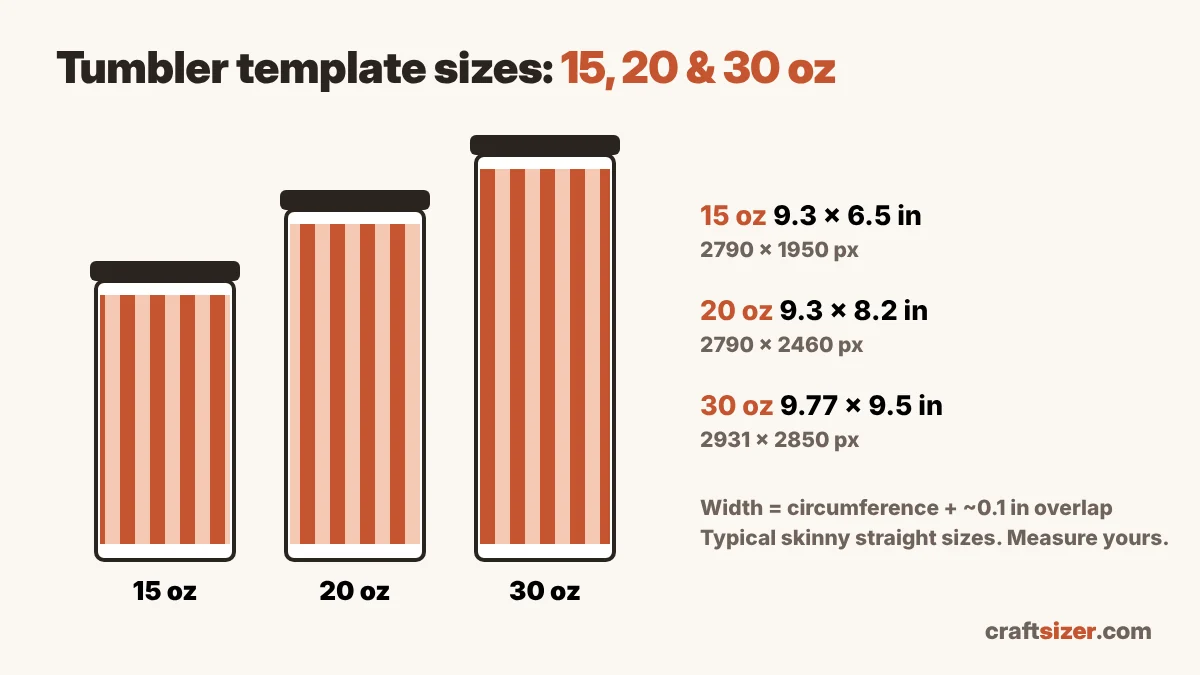
Tumbler template size chart
| Tumbler | Typical template | Pixels at 300 DPI |
|---|---|---|
| 15 oz skinny straight | about 9.3 × 6.5 in | 2790 × 1950 |
| 20 oz skinny straight | about 9.3 × 8.2 in | 2790 × 2460 |
| 30 oz skinny straight | about 9.77 × 9.5 in | 2931 × 2850 |
| 12 oz kids straight tumbler | about 8.85 in wide; height varies | about 2655 px wide |
Typical published sizes from blank suppliers, including a small seam overlap. Two tumblers sold as the same size can differ by a few tenths of an inch, so measure your blank before printing a batch.
Why the width is a little more than the tumbler
The template width is the tumbler's circumference plus a small seam overlap, usually about 0.1 inch. A 20 oz skinny tumbler is about 9.2 inches around, so its template is about 9.3 inches wide. Without that overlap, the two ends of the paper don't quite meet, and you get a thin white line down the seam.
The height is the printable height: the straight part of the tumbler, not including the rim where the lid sits or the curve at the bottom. Paper can't press flat on those curves, so any design there comes out faded or blurry.
15, 20 and 30 oz: what changes
- 15 oz and 20 oz skinny are usually the same width around. The 15 oz is just shorter, so a 20 oz design can often be trimmed to fit.
- 30 oz skinny is a little wider and much taller. A 30 oz wrap at about 9.77 × 9.5 inches may not fit on letter-size paper with the margins your printer needs, so many crafters print it on tabloid or larger sheets, or on a roll.
- Kids tumblers are smaller around (one common 12 oz style is about 8.75 inches around) and their height depends heavily on the lid style, so measure the straight part yourself.
Tapered tumblers and cups
If the top of your tumbler is wider than the bottom, a rectangle won't work. The design will tilt and the seam won't line up. Measure the top and bottom circumference: if they differ by more than about 0.1 inch, use a curved template instead. The tapered tumbler template generator makes one from your measurements, and this guide walks through pressing one.
Check your own tumbler in one minute
- Wrap a strip of paper around the middle of the tumbler and mark where it overlaps. Measure the strip: that's the circumference.
- Measure the straight part from just below the rim to just above the bottom curve: that's the printable height.
- Enter both in the tumbler template size calculator. It adds the seam overlap and lets you download a 300 DPI template at the exact size.
Designing in Canva? Set a custom size in pixels from the chart (for example 2790 × 2460 px for a 20 oz), and check your artwork is sharp enough with the DPI checker.
Frequently asked questions
What size is a 20 oz skinny tumbler sublimation template?
About 9.3 × 8.2 inches, or 2790 × 2460 pixels at 300 DPI. That's the circumference of about 9.2 inches plus a small seam overlap, by the straight printable height. Blanks vary, so measure yours.
What size is a 30 oz skinny tumbler template?
A common 30 oz skinny tumbler has a print area of about 9.77 × 9.5 inches, or about 2931 × 2850 pixels at 300 DPI.
What size is a 15 oz skinny tumbler template?
About 9.3 × 6.5 inches on a typical 15 oz skinny tumbler. It's usually the same width as a 20 oz, just shorter.
Why is there a white line on my tumbler seam?
The template is too narrow or the paper shifted. Add about 0.1 inch of overlap to the circumference and tape the paper tightly at the seam.